

LogIT
Watch it, mark it, log it.
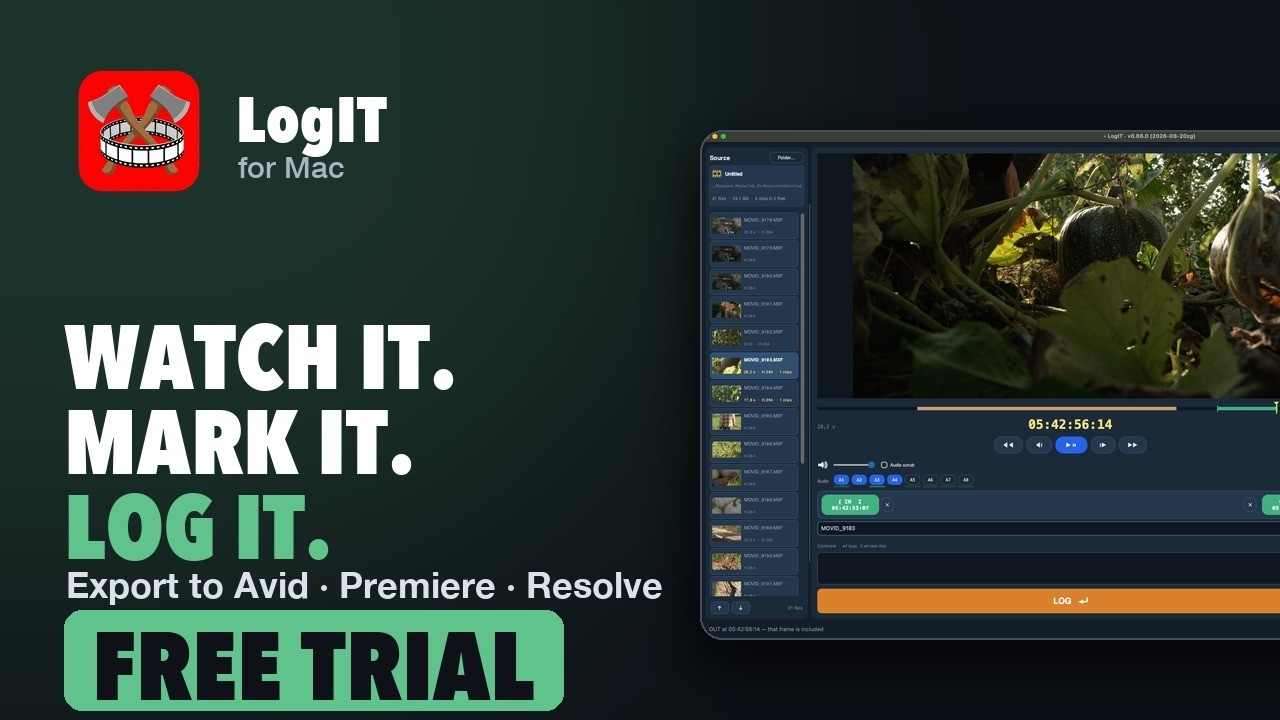
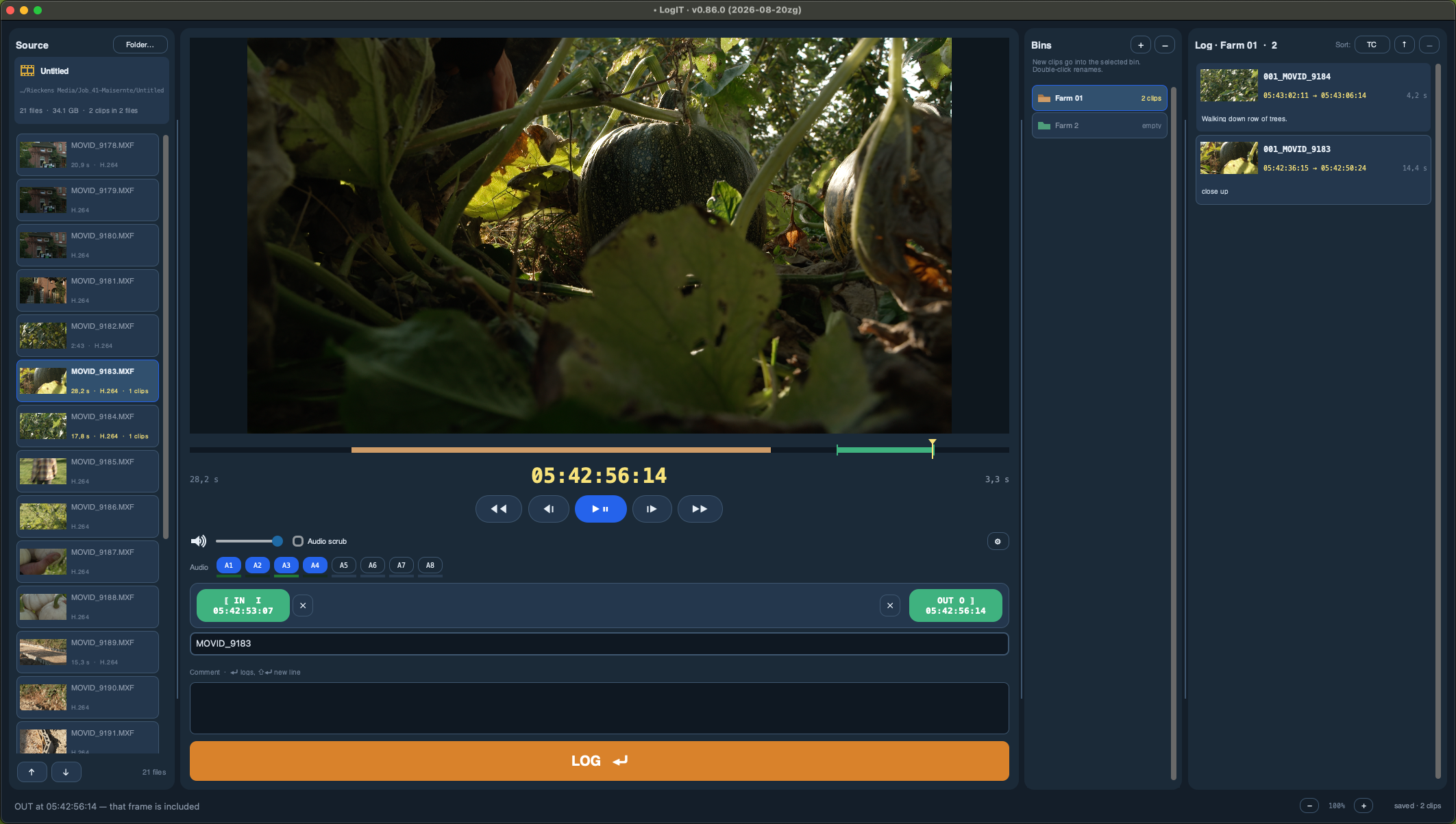
Three columns: your files, a real monitor, and the log you are writing. Set IN and OUT, log the clip, sort it into bins, and hand the cutting room a selects list instead of a folder full of guesses.
Screening happens once, properly, or three times, badly. LogIT keeps the picture and the note in the same window so the thought you had while watching is still there when you write it down.
In motion
The product video
 Play · loads from YouTube
Why people buy it
Watch it, mark it, log it.
A monitor, not a preview
AVFoundation playback with frame-accurate stepping and audio levels, sitting in its own borderless window over the middle column so it follows the app without fighting it.
IN, OUT, logged
Mark the range while it plays and file it as a clip. That is the whole loop, and it is meant to be fast.
Export to the edit
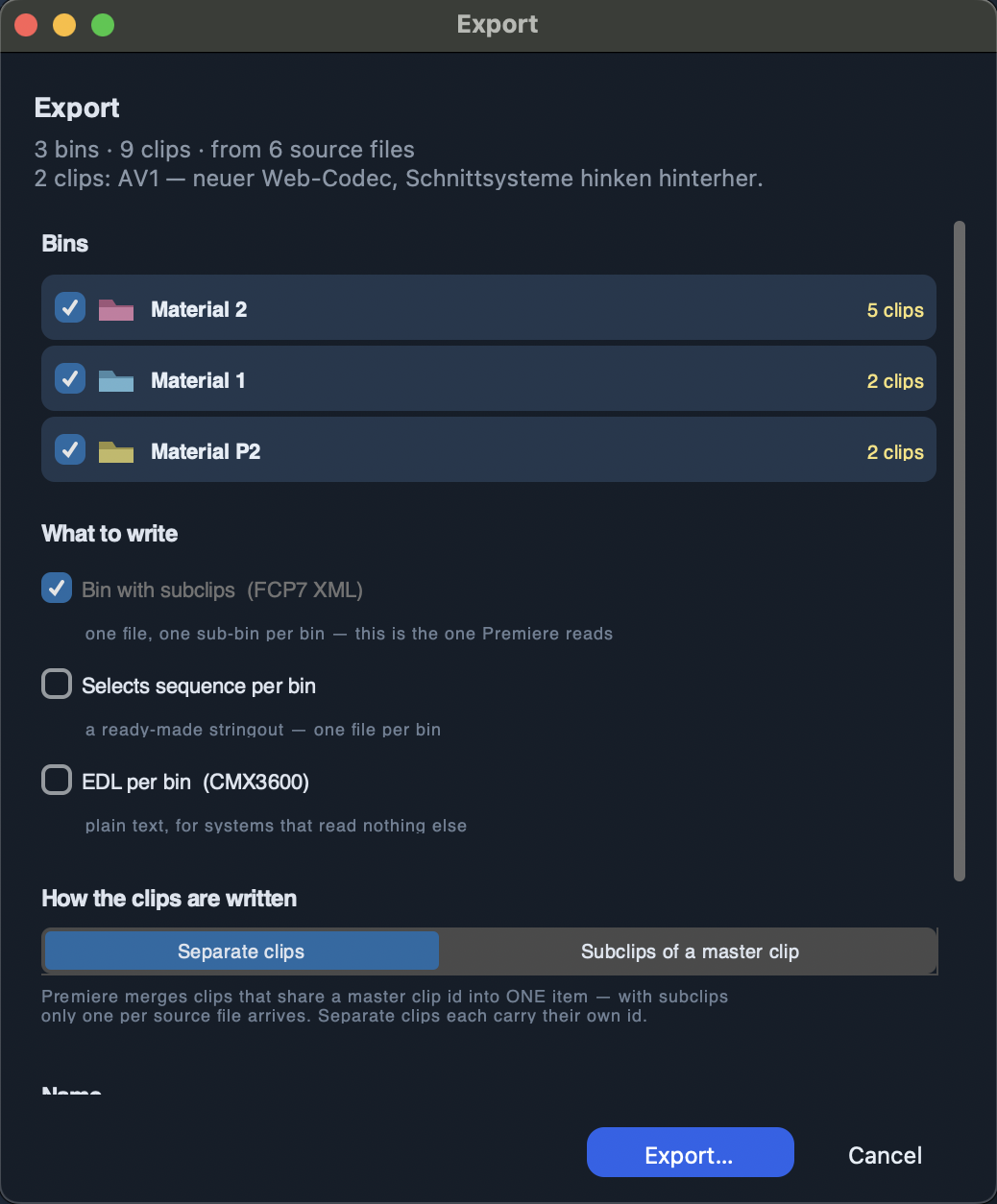
Send the selects on as a list the cutting room can actually open.
On screen
What it looks like
And the rest of it
Everything else it does
Projects and bins
Sort selects into bins, rename, re-order, and keep several projects side by side.
Handles the awkward cards
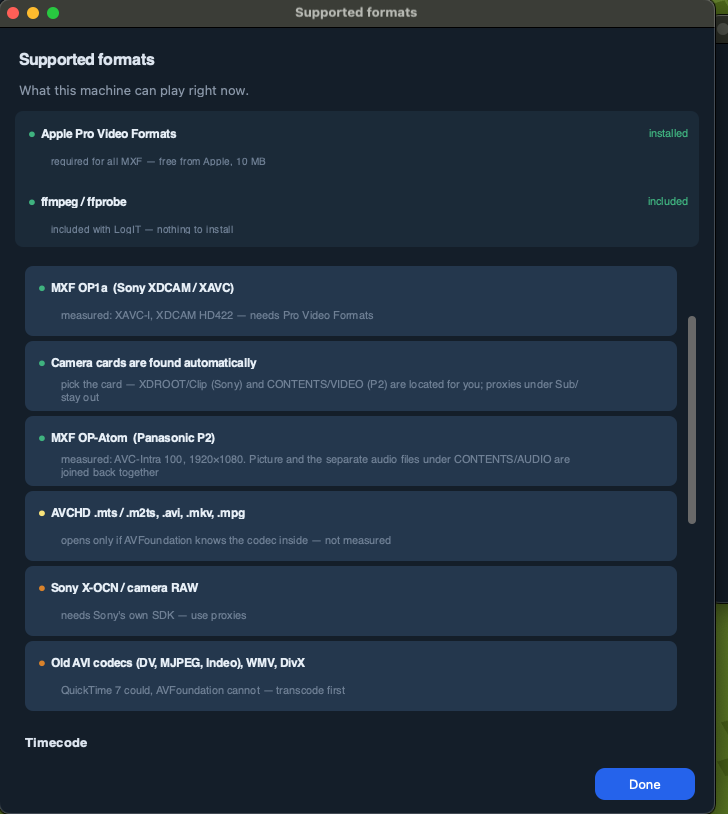
P2 clips that arrive in pieces are joined for playback, cards are recognised, and the timecode comes from the file rather than a guess. MXF playback needs Apple's free Pro Video Formats package; LogIT offers the download and can convert to ProRes in the meantime.
Convert to ProRes
Turn what you logged into edit-ready files without leaving for another program.
Questions
What people ask
What does the trial include?
Thirty days of the whole program: screening, logging, bins and projects. Export to the edit needs a licence. Your logs stay and remain editable after the trial ends, so nothing you did is lost.
Which camera formats play, and which do not?
Straight away: MOV, MP4 and M4V with ProRes, H.264, HEVC or DNxHD/HR. That covers ARRI Alexa and Blackmagic cameras recording ProRes, Sony and Canon recording H.264 or HEVC, and any ProRes or H.264 proxy. MXF from Sony (XAVC-I, XDCAM HD422) and Panasonic P2 (AVC-Intra) plays once Apple's free Pro Video Formats package is installed. Camera RAW does not play: Blackmagic RAW, RED R3D, ARRIRAW and Sony X-OCN need the manufacturers' own decoders, which macOS does not have. Use the camera's ProRes or H.264 recording or its proxies. AVCHD, AVI, MKV and MPG open only if macOS knows the codec inside; old AVI codecs, WMV and DivX do not.
Do I need to install anything for MXF files?
For any MXF, yes: Apple's free Pro Video Formats package, a 10 MB download from support.apple.com/106396. It is Apple's, so LogIT cannot bundle it; a Mac with Final Cut Pro or Compressor already has it, a fresh Mac does not. LogIT says so the moment you open an MXF and offers the download page; Help, Supported formats shows the same state. Until then, Convert to ProRes renders a copy you can watch. Everything else, including ffmpeg, ships inside LogIT. The app never installs anything behind your back.
Which edit systems can it hand the selects to?
Avid Media Composer gets an AAF with linked media and sound. Premiere Pro gets one FCP7 XML per bin. DaVinci Resolve gets a .drb bin with one subclip per logged range and your comments inside. EDL, ALE and OpenTimelineIO are there as well.
Do the comments travel with the clips?
Yes. In the Resolve bin they sit in the clip's Description and Comments fields, the same place Resolve puts them when you type one in. The other exports carry the name, the range and the timecode.
Can it convert to ProRes?
Yes. What you logged can be turned into edit-ready ProRes files without leaving for another program.
What about P2 cards?
P2 clips that arrive in pieces are joined for playback, the card is recognised, and the timecode comes from the file rather than from a guess.
Is the playback frame accurate?
Yes. The monitor uses AVFoundation with frame-accurate stepping and audio levels, and every audio track can be switched on and off while it plays.
Can I keep several projects?
Yes. Projects sit side by side, each with its own bins. Bins can be renamed and re-ordered.
What does it need?
A Mac with Apple Silicon running macOS 15 or later.
Details
Specifications
| Layout | Files, monitor, log — three columns |
|---|---|
| Playback | AVFoundation, frame accurate, with levels |
| Cards | P2 joining, card and timecode detection |
| Output | ProRes conversion and selects export |
| Needs for MXF | Apple's free Pro Video Formats package (offered in the app) |
| Version | 1.0.32 |
| System | macOS 15.0 or later, Apple Silicon |
See price in store One-time purchase, per machine. No subscription.
- 30 days to screen and log everything. Export needs a licence; your logs stay and remain editable.
- Signed and notarised by Apple.
- Runs entirely on your Mac.
- Questions: support@movid.com