

Timecode Juggler
Change one timecode. The rest follow.
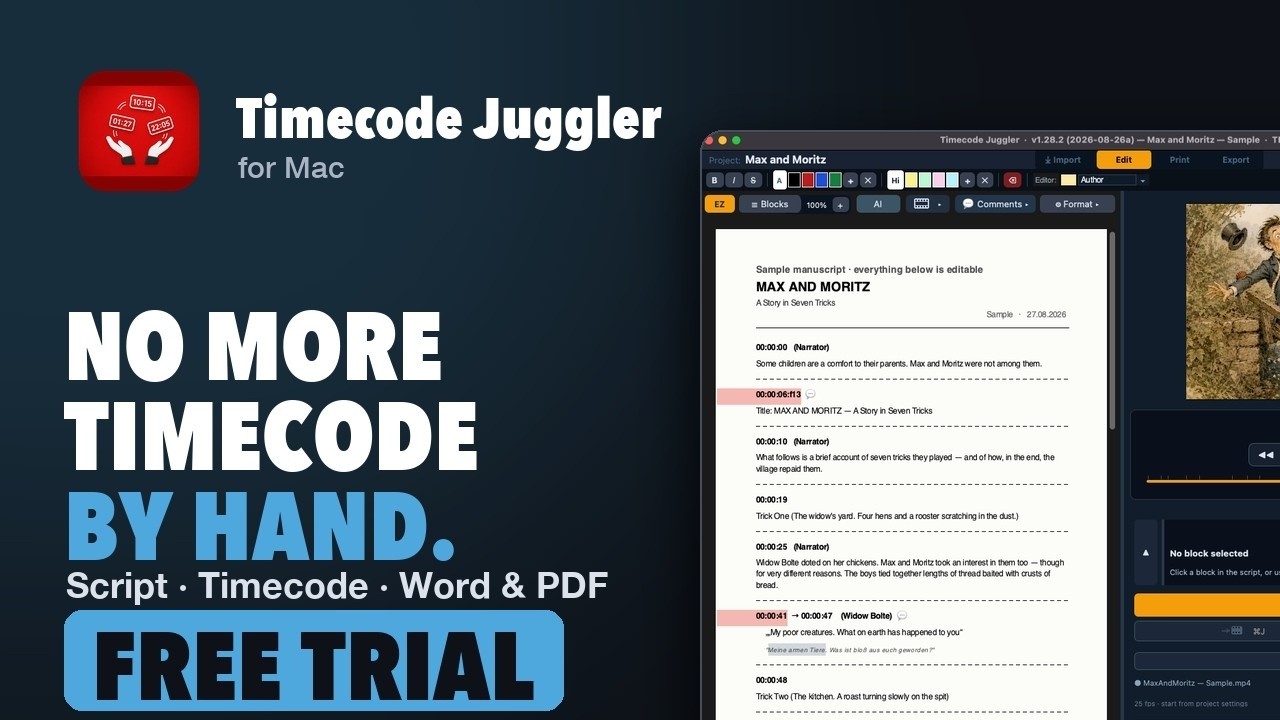
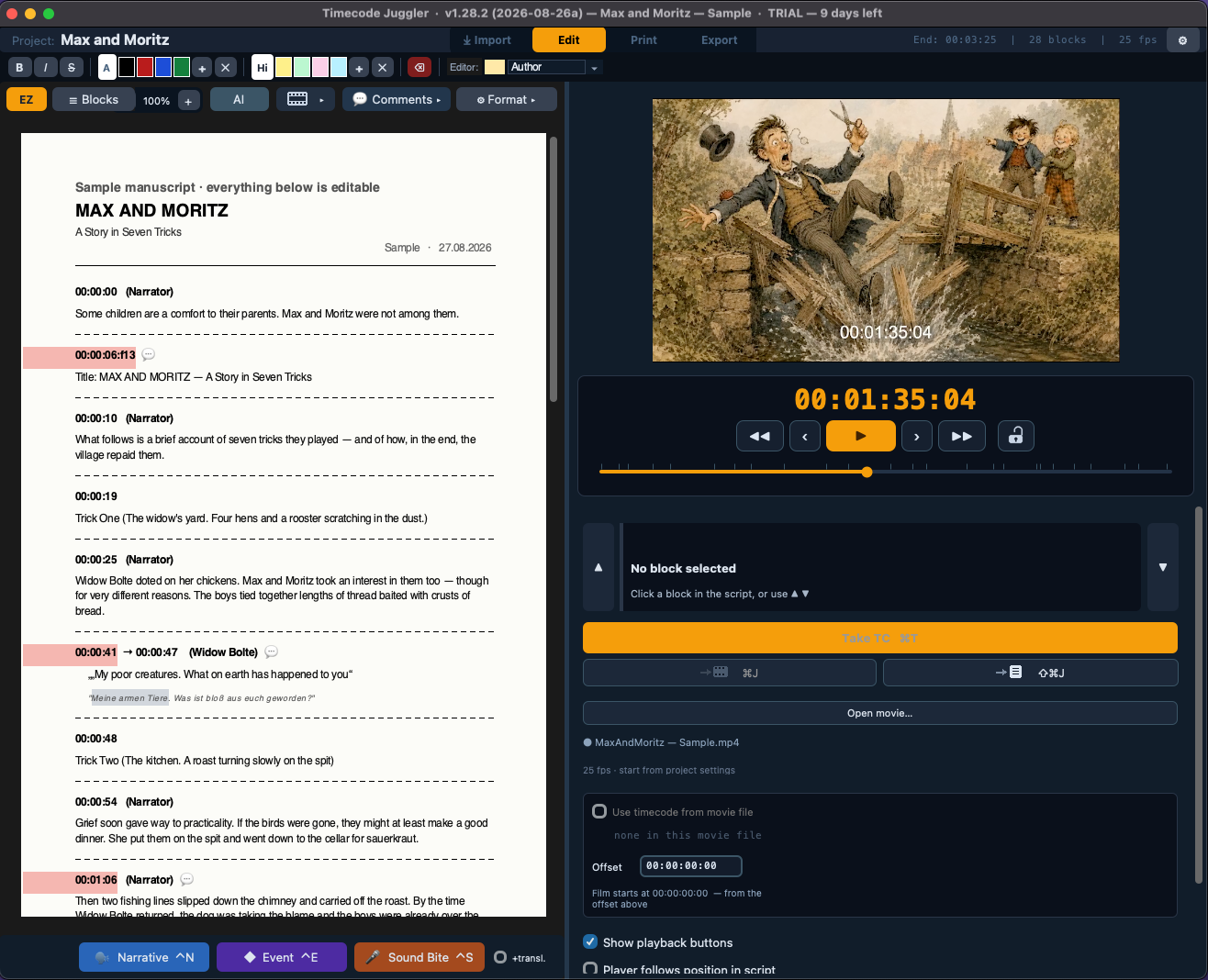
A manuscript editor whose timecodes cascade: change one block and every block after it moves with it, frame-accurate. Take the timecode straight from the picture with one key, and export a clean Word or PDF document.
A commentary script written in a word processor loses the one thing it needs: the connection to the picture. The Juggler keeps text and timecode together while you write, so nothing drifts between the draft and the mix.
In motion
The product video
 Play · loads from YouTube
Why people buy it
Change one timecode. The rest follow.
The timecode cascade
Every block's timecode follows from the one before it. Change one — by hand, or with ⌘T from the picture — and every block after it moves with it, frame-accurate. Insert a block, lengthen one, cut one: the rest of the script follows. Move the film's start to broadcast time and the whole manuscript moves along. A new cut is fixed where it changed, not line by line to the end.
Timecode from the picture — one key
The player floats above the text while you write. Park it on the frame, press ⌘T, and the block you are working on takes the timecode — from the film's own timecode if you want it. No reading it off the edit, no typing eleven characters, no typo that turns up in the recording booth.
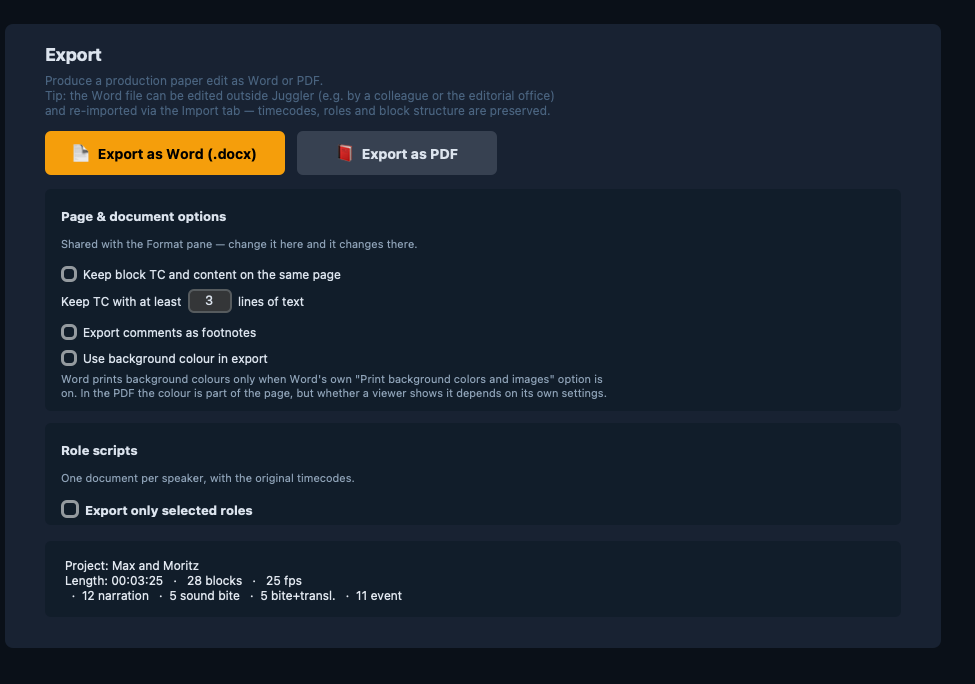
Export to Word and PDF
Hand the editor, the speaker or the client a document in the format they expect.
On screen
What it looks like
And the rest of it
Everything else it does
Blocks with roles
Narration, sync, atmosphere — every block carries its type, and you can change the type of a whole selection at once.
Its own player
A player that actually floats above the text while you type. Built in after remote-controlling QuickTime turned out to be unreliable — a floating window there depends on a menu item that is locked whenever the app is not in front.
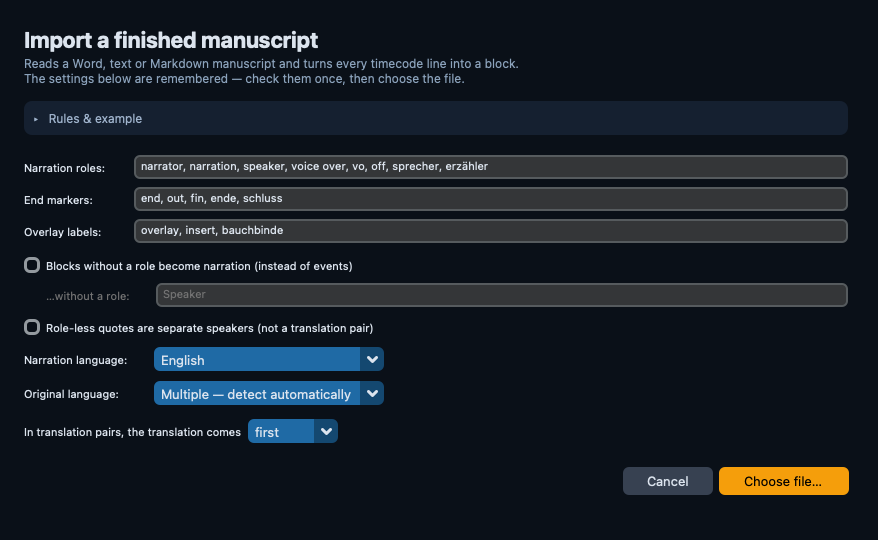
Import a manuscript
Bring in what the author already wrote instead of retyping it, then split it into blocks and hang it on the timecode.
Spell check and optional AI
Apple's own spell checker, plus optional AI help for rewriting or fact-checking a selection. It works with Claude, OpenAI, Mistral, Groq, OpenRouter or a local Ollama — your key, your provider.
A build without AI
If AI is not wanted in the house, there is a separate build with the whole thing left out rather than switched off.
Questions
What people ask
What does the trial include?
Thirty days of the whole program, including the player and the import. Export to Word and PDF needs a licence. The script stays exactly as it is; when the trial ends the project opens read-only until a key is entered.
Can I import a script that already exists?
Yes. Word (.docx), plain text and Markdown files are read and split into blocks at their timecode anchors, lines such as 02:15 (Narrator) or 00:02:15 (Narrator). German broadcast primes like 1’21’44“ are accepted too.
What comes out at the end?
A Word document (.docx) or a PDF, with the header, the block separators and the timecode style you set, ready for the speaker, the editor or the client.
How does the player work?
It is built in and floats above the text while you type. J K L to shuttle, arrows for single frames, space to play. One key takes the current timecode into the block. The script can follow the player, the player the script, or both.
Where does the timecode come from?
If the movie file carries a timecode track, that is used. If it does not, you set the film's start once as an offset, and everything else follows from it.
What does the AI do, and whose key is it?
Optional help to rewrite or fact-check a selection. It runs with your own key on your own provider, Claude, OpenAI, Mistral, Groq, OpenRouter or a local Ollama, and nothing leaves the Mac unless you press the AI button.
Is there a version without AI?
Yes. A separate build with the AI code left out entirely rather than switched off, sold in the store as the edition that is not AI enabled.
What does it need?
A Mac with Apple Silicon running macOS 12 or later.
Details
Specifications
| Documents | Blocks with role and timecode |
|---|---|
| Export | Word (.docx) and PDF |
| Player | Built in, floats above the text |
| AI | Optional, your own provider and key |
| Version | 1.28.13 |
| System | macOS 12.0 or later, Apple Silicon |
See price in store One-time purchase, per machine. No subscription.
- 30 days to write the whole script, with the player and the import. Export to Word and PDF needs a licence; the script stays.
- Signed and notarised by Apple.
- Runs entirely on your Mac.
- Questions: support@movid.com